

The organisation page
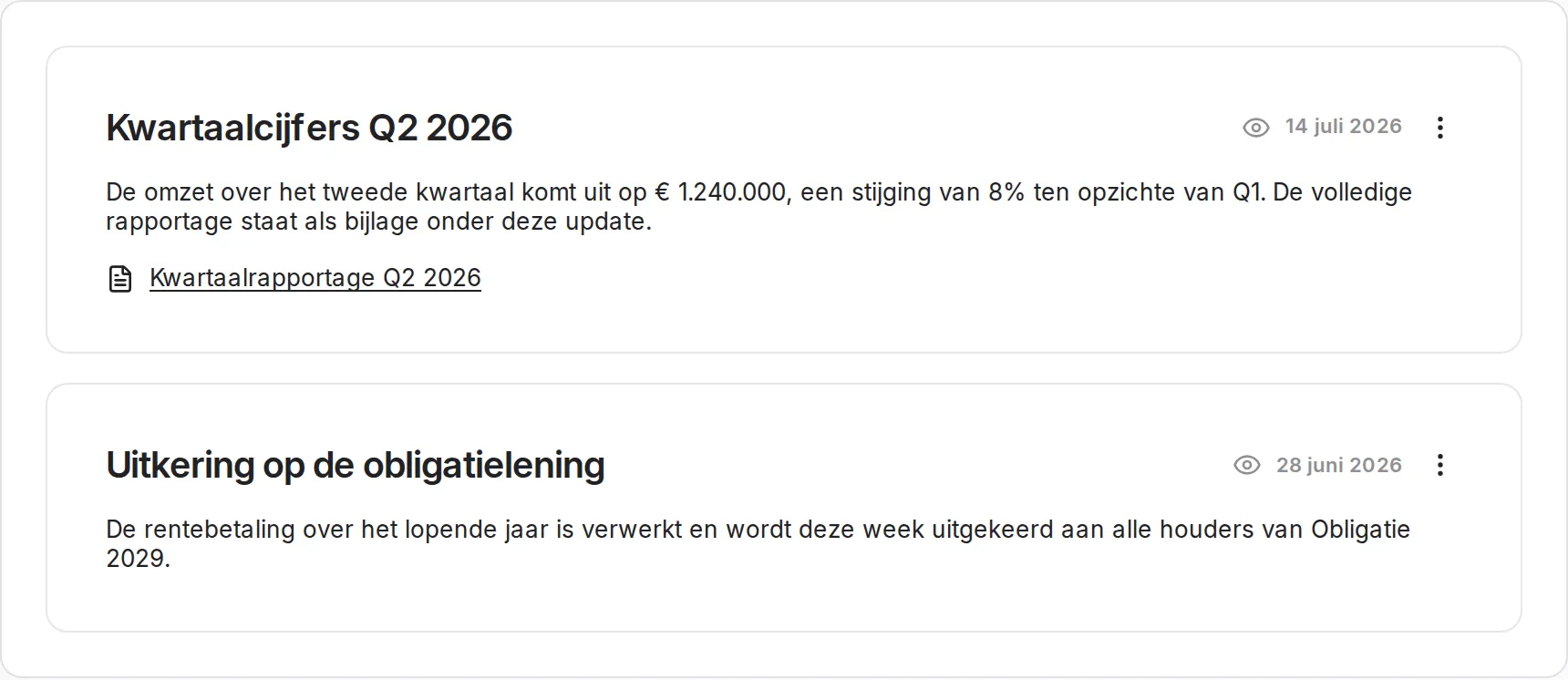
Every organisation gets a page to address its members: updates with quarterly figures or announcements, a block about who the organisation is, and shared documents. An update goes to all members, or only to the holders of certain instruments.
The three most recent updates also appear on the dashboard of your members. When you post one, you can email it; that checkbox starts out unticked every time and shows when you last sent a mail.
An invitation link per organisation
One shareable link with which someone joins your organisation. The visitor lands on a page that shows which organisation it concerns and registers in one step, or confirms with an existing account. It can be switched on and off from the Members page.
Choosing which email you get
In your user settings you switch areas on or off separately: transactions and deeds, messages from your organisation, and annual statements. Mail that cannot be switched off is visibly locked, with the reason next to it. Every mail we send points to that same place at the bottom.
Improvements
- The audit log shows the difference between old and new for a changed price band, and records that interest was expressed
- The seller receives the transaction confirmation with the signed deed
- Changes to the logo, the banner and the contact photo appear in the audit log
- Signing is faster: the deed is no longer rendered while you wait
Fixes
- A Dutch page showed the closing date of a round partly in English
- A reminder to a signatory without an account never arrived; they now get an invitation link to exactly the transaction they have to sign
- Uploading files to an instrument always gave an error
- The numbering block kept loading when creating a balance record
- Country codes were read as language codes, which made the deed panel show the wrong nationality
- The offer card stayed visible while a transfer was already running