Changelog

Updates to the belang.org platform.

The organisation page
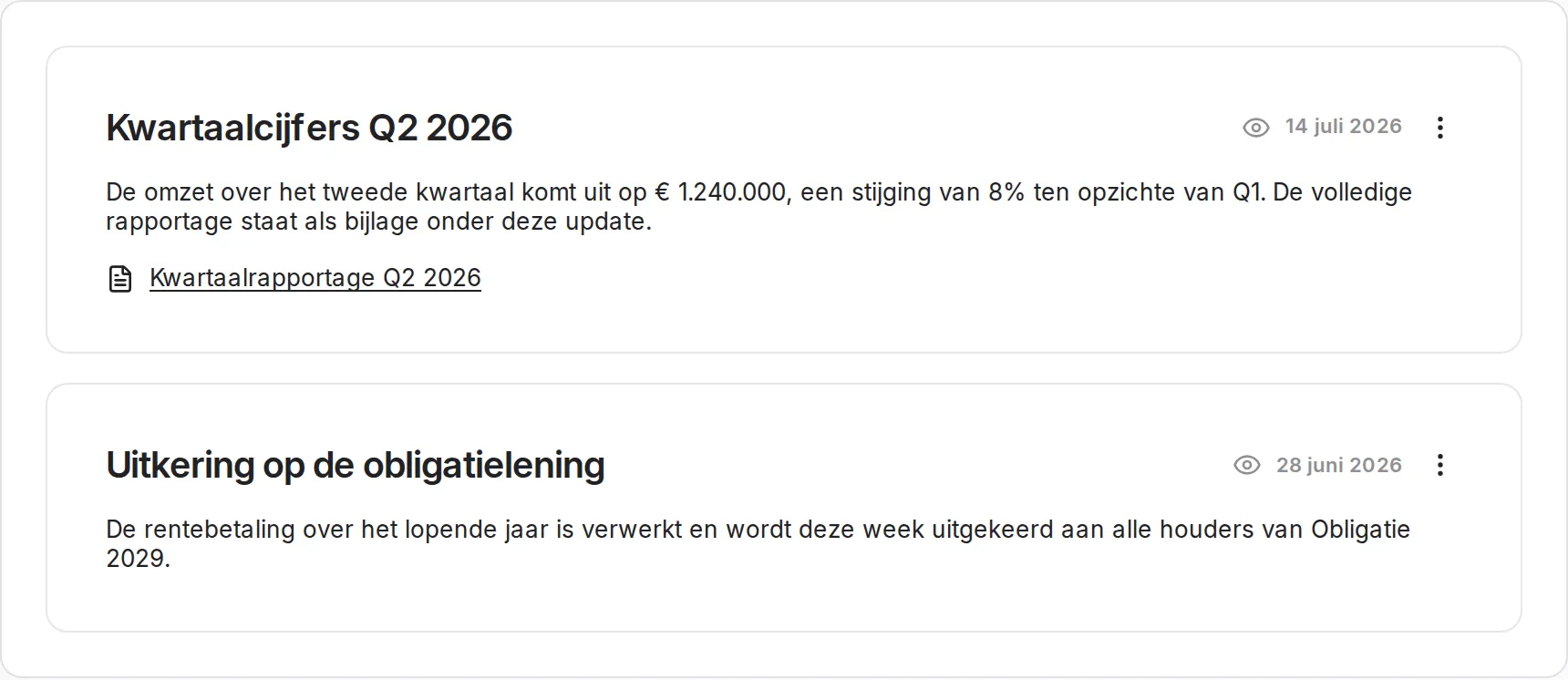
Organisation page with updates and documents

Every organisation gets a page to address its members: updates with quarterly figures or announcements, a block about who the organisation is, and shared documents. An update goes to all members, or only to the holders of certain instruments.

The three most recent updates also appear on the dashboard of your members. When you post one, you can email it; that checkbox starts out unticked every time and shows when you last sent a mail.

One shareable link with which someone joins your organisation. The visitor lands on a page that shows which organisation it concerns and registers in one step, or confirms with an existing account. It can be switched on and off from the Members page.

Choosing which email you get

In your user settings you switch areas on or off separately: transactions and deeds, messages from your organisation, and annual statements. Mail that cannot be switched off is visibly locked, with the reason next to it. Every mail we send points to that same place at the bottom.

Improvements
  • The audit log shows the difference between old and new for a changed price band, and records that interest was expressed
  • The seller receives the transaction confirmation with the signed deed
  • Changes to the logo, the banner and the contact photo appear in the audit log
  • Signing is faster: the deed is no longer rendered while you wait
Fixes
  • A Dutch page showed the closing date of a round partly in English
  • A reminder to a signatory without an account never arrived; they now get an invitation link to exactly the transaction they have to sign
  • Uploading files to an instrument always gave an error
  • The numbering block kept loading when creating a balance record
  • Country codes were read as language codes, which made the deed panel show the wrong nationality
  • The offer card stayed visible while a transfer was already running
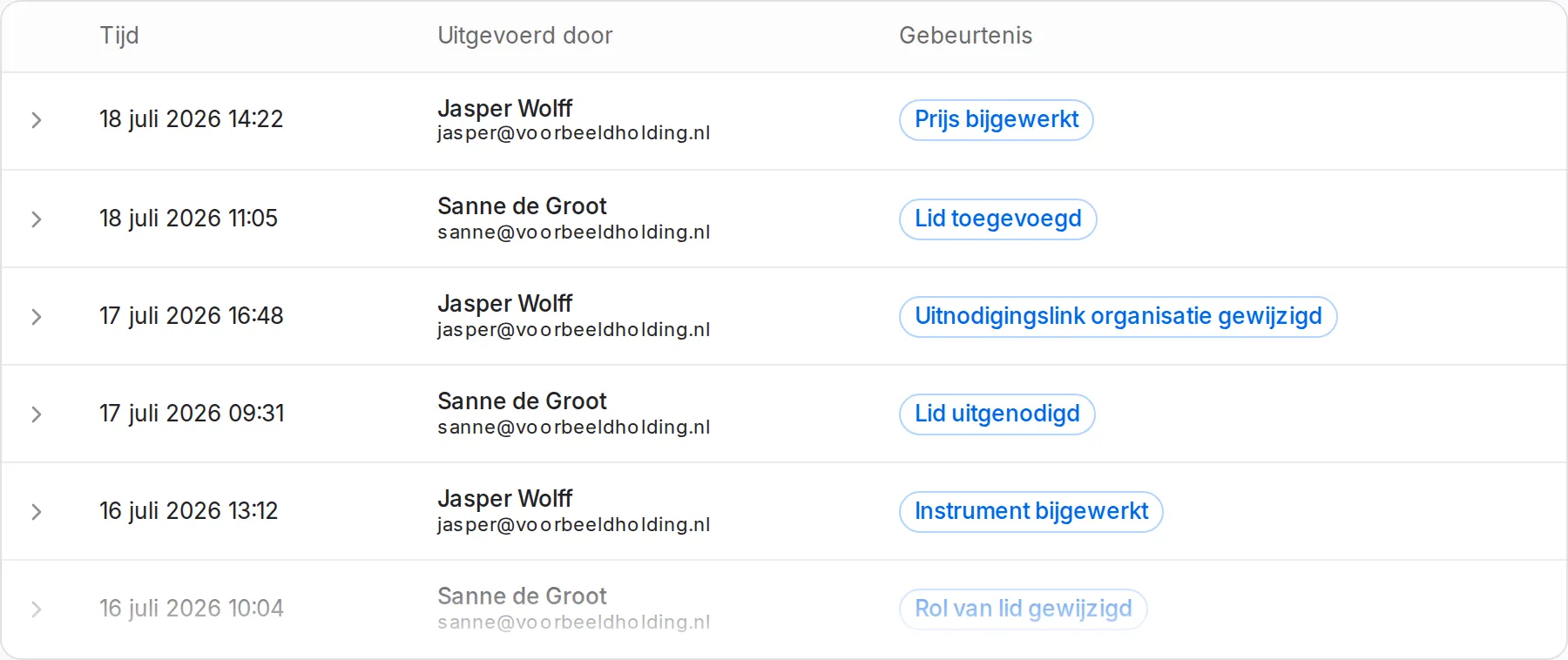
Audit log

Audit log at the bottom of the organisation settings

Organisations and instruments have a log of what was changed, by whom and when. You search by person, filter by event and expand the difference between old and new per row.

The log sits at the bottom of the organisation settings and under the Advanced tab of an instrument. Sensitive values are shielded: of an IBAN you see the last four digits, of a password or a key only that it was changed.

Signing rebuilt

Signing now always happens on behalf of a specific legal entity, along one path, in every screen. A signature that satisfies the party above it counts there automatically.

A signature records the details of a party as they were at that moment: name, address, registration number. Documents that have not been signed yet keep following the current details. And those details are only required at signing, not already when a transaction is created.

Email verification in your account

The “Security” block is now called “Account” and shows your email address with its verification status, plus a button to send a verification email.

Improvements
  • Administrators can add, invite, edit and remove members. Previously only a superadmin could
  • Member detail and holder detail are the same screen, with the total held and the date since participation on the holder page
  • The invitation modal also shows members and entities that have not been activated, where entities are resolved to their board members
  • Definitions can be inserted as a “Terminology” clause in the terms drafter
Fixes
  • The QR code for two-factor authentication can be scanned again; the logo in the middle covered data
  • “Current valuation” is now called “Latest price”: the amount is the price of the last issue, not a current valuation
  • An invitee who had already signed their own part stayed stuck on the signing step
  • The deed preview showed the generic template instead of the chosen deed
  • The logo in the email footer did not load in every mail client

Visibility per instrument

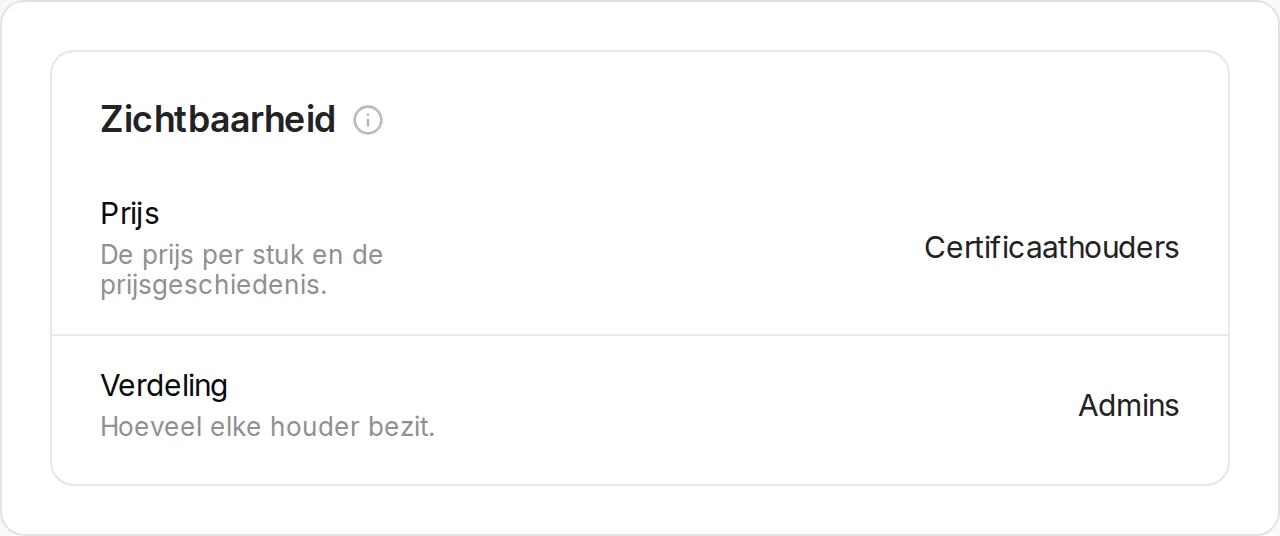
Visibility settings of an instrument

You decide per instrument who sees the price and the valuations, who sees the balances of holders and who sees their first names. Each setting stands on its own, set to administrators, holders, members or public.

The setting carries through to both the org chart and the instrument page, so what you close here stays closed in the place where people would look for it first.

Connecting Mollie without an API key

You connect your own Mollie account with a button instead of pasting a key. The platform reads whether you can already receive payments at Mollie and shows which steps are still open there; while those are open, an instrument cannot be invested in. You can disconnect as long as no payments are running.

At checkout you only see methods that are final within the hour, such as iDEAL, credit card and Bancontact.

Deeds per transaction type

You set a default deed per instrument for issues, and a separate one for transfers. The deed picker in the transaction form puts those first.

Improvements
  • A borrowed branch in the signing rules stays collapsed and read-only until you tick it
  • Entities can be selected as a signatory
  • Dutch names for the deeds in the interface
  • Links to the terms and the privacy statement follow the language of the interface
  • Emails support dark mode
  • The valuation chart shows the projection as a dotted line instead of a clickable price point
  • Whole euro amounts from a thousand up no longer show decimals
  • A board member can be added by picking from the existing organisation members
  • When adding a member, invited people who are not in the structure yet also appear
  • The readiness indicator now also reports missing details of the issuer, such as statutory name, address and KVK number
  • The default sender of an instrument follows the issuing entity
  • Attachments to an instrument are visible to the members of that instrument
  • The org chart is in the navigation for all members, not just for administrators
  • Images load through a CDN
Fixes
  • The balance overview also appears when you hold an instrument through a single entity
  • An interest rate of zero can be set, for interest-free bonds
  • After a rollout, an open session no longer gets a white screen
  • Errors on annual statements caused by simultaneous requests
  • The trade register lookup filled in the country as “Nederland” instead of as a country code
  • Deleting a body that still has members now gives a message
  • Editing an entity gave an error, and the type stayed editable after creation
  • Email validation rejected valid addresses on domains without a mail record, and addresses containing a plus sign
  • Password reset and verification emails did not work in Outlook: the link in the button was encoded twice
  • The instrument page fell over when there was no valuation yet

Sharing and embedding the org chart

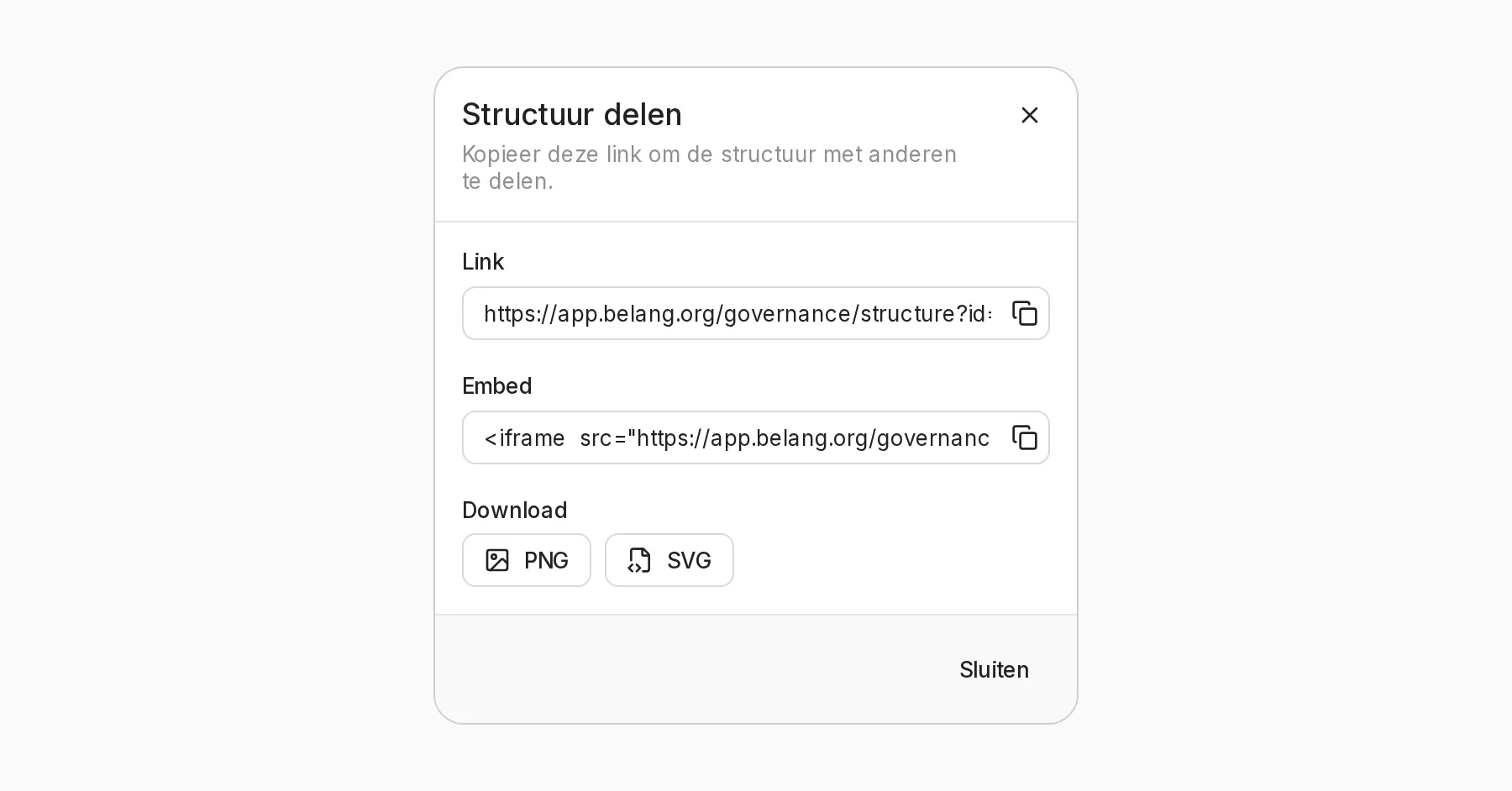
Share dialog with the public link and the embed code

The structure of your organisation can be shared publicly and embedded as an iframe on your own site. The public view carries structure only: no addresses, amounts or balances.

The share dialog gives you a ready-made snippet to put the org chart on your own website. Holders of an instrument are visible by name; their balances are not.

Documents attached to the structure can be downloaded from the public org chart, within the same visibility setting.

One board member is enough

Where signing authority follows from the powers of a legal entity, one board member signs on behalf of that party instead of the whole board. Until it is signed, the deed shows such a branch as “someone on behalf of X”. Powers that change after a transaction has been created are written along without touching the signatures already recorded.

Attachments and status in the transaction panel

The panel shows the attachments and the deed rows of a transaction, with a status line that says what it is waiting for instead of “waiting for payment by”. The payment status refreshes itself. In the invitation flow you step through several transactions with previous and next.

Improvements
  • Instrument name and type visible in the member table and the filter
  • The email address of a member who has not activated yet can be corrected by an administrator, including pending invitations
  • Clicking a member navigates to their card; every occurrence of the same person highlights at once
  • Rights shown as a coloured ring with a legend
  • Bodies sorted by their configured order, with translated and coloured labels
  • Member search list with avatars
Fixes
  • Actions you are not allowed to perform give a correct error message
  • The price per unit could be set to zero or negative
  • Switching to an organisation you belong to through an intermediate entity gave an error
  • The transaction list on a member detail page did not refresh after signing, rejecting or marking as paid
  • Holder counts included the issuing entity itself

Inviting with roles

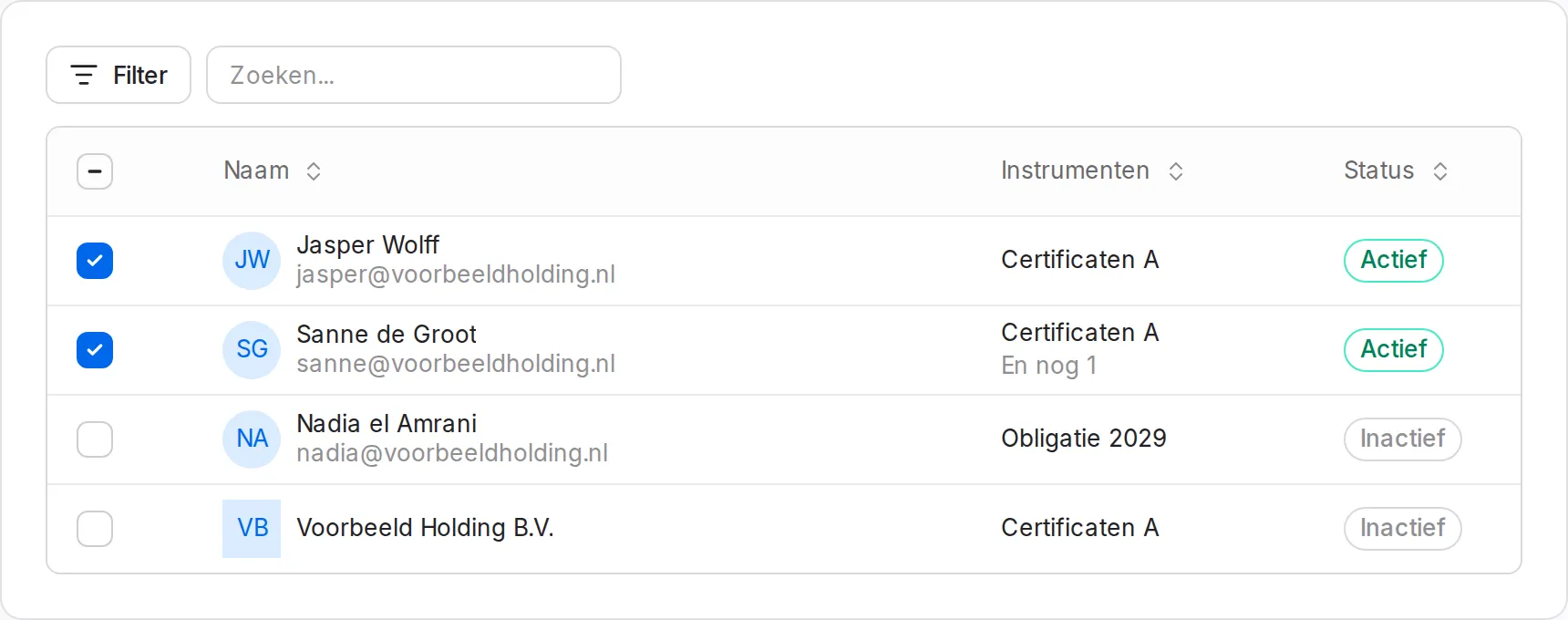
Member list with a selection for inviting

The invite flow has a "Roles" step that shows which rights someone gets. Whoever you invite becomes a member of the organisation straight away.

Subscriptions through Moneybird

You take out your subscription through a Moneybird checkout and see your current subscription in the organisation settings, with a link through to the contact portal. Moneybird is a Dutch company, so the invoicing and the data that comes with it stay inside the EU.

Improvements
  • Logging out works across tabs; an expired session sends you to the login page instead of failing silently
  • Sysadmins can edit organisation details from the admin panel
  • New “Roles” step in the invite flow: see at a glance which rights someone gets
  • Creating an invitation adds the person as a member straight away, without a separate action
  • An “Invite immediately” toggle when adding members to an instrument or a legal entity
  • Organisation meta in page titles, which helps with browser tabs for several organisations at once
Fixes
  • Percentages below 1% were shown as 0.0% in the distribution bar
  • Deeds picked up the margins and the page footer of the annual statement, which broke the decorative border
  • Interest and repayment dates are calculated correctly again for the next term
  • Staging now uses the built assets instead of dev files
API
  • New endpoint: POST /organizations/{id}/invitations for organisation-scoped invitations
  • The response of the invitation endpoints now contains open_items, the outstanding actions for the invitee
  • The deprecated route for user investment update has been removed; use the new instrument endpoints

Signing rules per legal entity

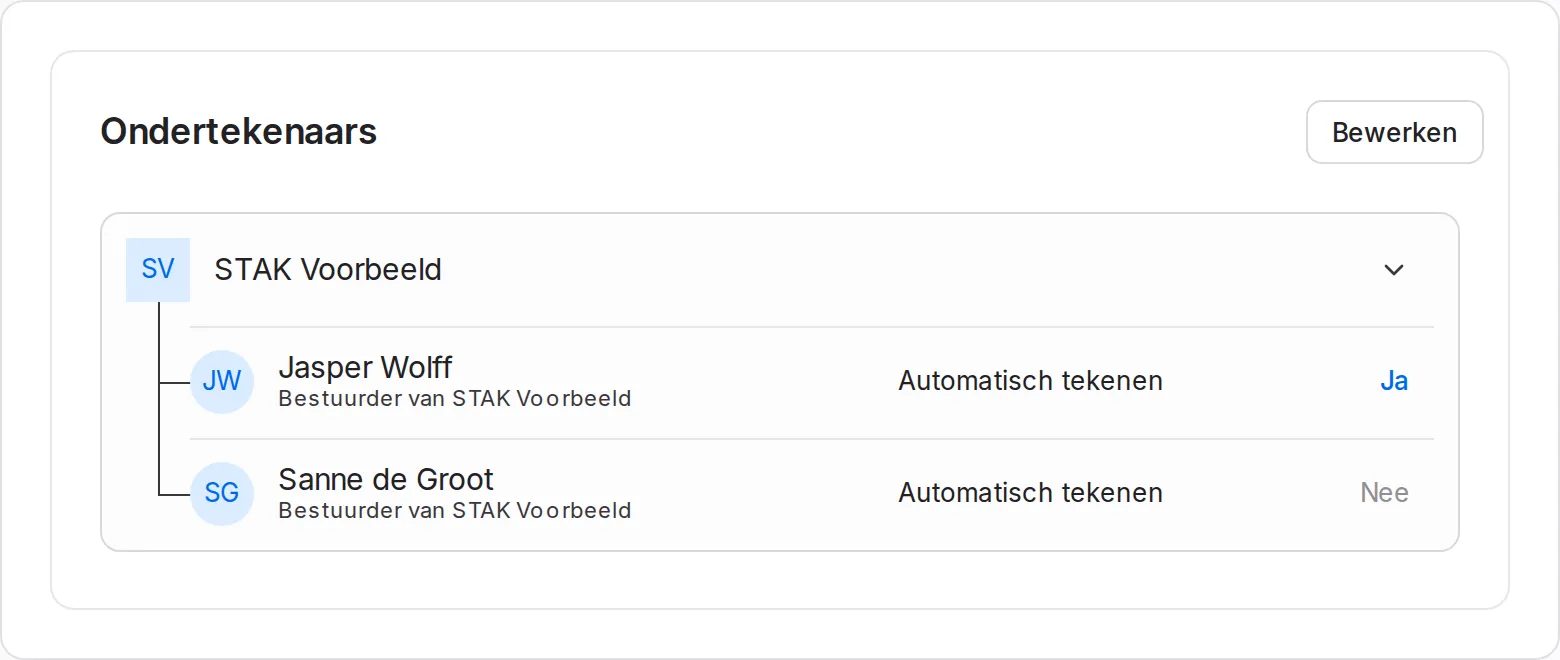
Signing rules of a legal entity

You record who may sign on behalf of a legal entity, with a switch per board member. The initiator signs along the moment a transaction is created, and you can send a reminder to whoever still has to sign.

Entities with a trade register lookup

Legal entities in your organisation get a page of their own, with their governing bodies and powers of attorney in one place. When you add one, you pull the company details from the Dutch trade register with a KVK number instead of typing them over.

Board members without an email address can be recorded already; the invitation follows later.

Deeds in two languages

The issue deed and the transfer deed have been rewritten and are available in Dutch and English. The border colour of the deed is configurable per instrument.

Creating transactions in steps

A new dialog walks you through transaction type, numbering series and attachments, with validation per step instead of one long list of fields.

Adding participants from the member overview

You add a participant without leaving the member overview: search the existing members of the organisation, or enter an entity through the trade register. If the person already exists, you see that straight away instead of after saving.

Readiness per instrument

A badge on the instrument page shows what is still missing before you can issue, transfer or receive investments.

Improvements
  • Separate save actions for rights, deed colour and transfer settings
  • Interest information with transactions in the member view
  • Remaining subscription room and maximum visible in the investment form
  • Linking instruments to a group, both when creating one and in the settings
  • Visibility of the structure configurable as public, members or administrators
  • Terms documents are visible to everyone who may view the instrument
  • Renaming instrument files
  • Vesting schedules with a chart and a preview
Fixes
  • Correct error message for two-factor authentication
  • When investing, a business registration number is checked against those already registered
  • Adding a participant twice gives a message instead of an apparently successful action
  • Files open through a temporary, signed link
  • The organisation logo no longer gets a blue background when an image is set
  • Numbering series in the deed no longer break across several lines